Lacoste Knitwear: Verify Coupon and Final Amount
Insight
Jonas ReinhardtClarify the Coupon Verification Task for Lacoste Fall/Winter Knit Tops If you plan to buy a Lacoste fall/winter knit top, the easiest mistake before checkout isn't the coupon itself, but mixing the product page reference price, shopping agent discount, service fee, and international shipping into one "discounted price." The correct goal is: confirm the target style is still available, verify whether the coupon applies to that item, and save a record that explains the final amount due before s
Jonas Reinhardt is Editor-in-Chief of the Kakobuy Yupoo Review Desk, writing agent comparison tables and leading retests. The work covers shopping-agent operations, parcel forwarding and QC photo standards, with Jonas signing off every hands-on score. Reviews are checked for order dates, QC photo notes, warehouse measurements and shipping-line timings, connecting the comparison tables with the records behind their scores. Each month, two reviews are selected at random and audited against original photographs and receipts, making publication approval and recurring checks of the supporting material part of the editorial work.
Clarify the Coupon Verification Task for Lacoste Fall/Winter Knit Tops
If you plan to buy a Lacoste fall/winter knit top, the easiest mistake before checkout isn't the coupon itself, but mixing the product page reference price, shopping agent discount, service fee, and international shipping into one "discounted price." The correct goal is: confirm the target style is still available, verify whether the coupon applies to that item, and save a record that explains the final amount due before submitting the order.
This article only provides a verification process, not unconfirmed coupon codes or fixed discounts. Prices, stock, coupon conditions, exchange rates, and shipping fees may change. The information verification date for the platform pages below is October 17, 2026; specific orders should still be based on what is displayed on the product page, the selected shopping agent, and the checkout page at that time. 🧾
Record Style, Color, Size, and Current Price from the fashionreps Product Page
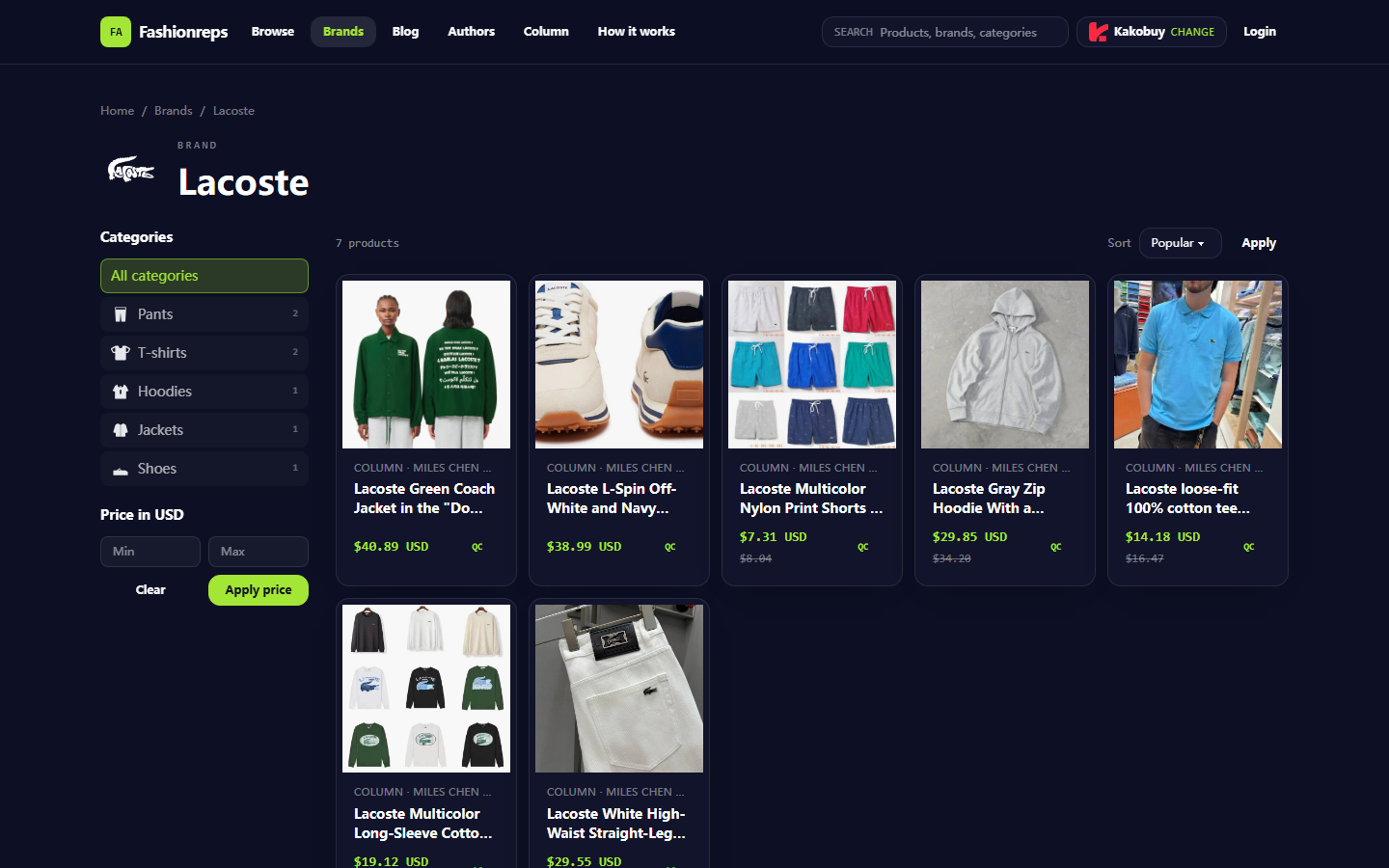
First, confirm the target item in the Lacoste brand catalog on fashion-reps, rather than judging based on search results or old screenshots. The currently visible Lacoste brand catalog shows 7 items, but the displayed products include jackets, sneakers, shorts, hoodies, short-sleeve tops, long-sleeve tops, and jeans, with no product information sufficient to confirm a "fall/winter knit top." Therefore, if the specific knit style you're looking for has no clear product page, name, color, size, or current price, pause checkout and don't substitute other Lacoste tops for a knit style.
Record the following:
- Product name and style description shown on the product page
- Color, size, and whether there are size restrictions
- Current product price and displayed currency
- Original or previous reference price shown on the page, noting it is not equivalent to the available discounted price
- Whether the product page still opens normally and whether a purchase entry is visible
- Date and time of page verification
The reference price on the product page is only for identifying the product and comparing changes, and cannot be directly used as the checkout total. If the product page redirects, fails to open, lacks a product name, or only has tabs without specific product information, it should not be used as a basis for coupon verification.
How to Verify Coupon Claim Entry, Threshold, and Applicable Products
The fashion-reps page states that the product's purchase button will lead to the user-selected external shopping agent; orders, payment, and shipping are handled by the shopping agent's website. Therefore, the reference price on fashion-reps product pages cannot replace the actual amount on the agent's checkout page, and coupons also need to be confirmed in the agent's account or checkout process that actually handles the order.
First confirm which shopping agent is currently selected by the purchase button, then enter that agent's coupon or promotion section. Don't copy a coupon code from another agent to the current order, and don't treat discount text from search engines, forums, or old articles as current valid conditions.
When verifying, at least save these fields:
- Coupon name or promotion name
- Whether the code needs to be manually claimed or automatically credited
- Usage threshold, such as product amount, order amount, specified shipping line, or specified region
- Applicable currency and amount calculation basis
- Applicable products, brands, stores, or product categories
- Whether it is limited to new users, specific accounts, or first orders
- Whether it needs to be selected before payment
- Whether the discount is a fixed reduction, percentage discount, or shipping discount
- Current validity period and time zone shown on the page
If the official page only shows "claim" without explaining the scope, threshold, or validity period, mark the coupon as "pending confirmation" and do not deduct it in advance from the budget. If the coupon code does not show a success message or discount amount after entry, it cannot be considered effective. 🔎
How to Document Exclusions, Stacking Restrictions, and Expiration Date Item by Item
Coupon conditions are usually scattered across the promotion page, coupon details, and checkout page. Before checkout, check each item one by one instead of only looking at the coupon title.
Record in the following order:
- Whether the product belongs to the applicable category of the discount, and whether there are exclusions for brands, stores, or specific items.
- Whether the product amount meets the threshold, and whether the threshold is calculated on the product subtotal or on the order amount including service fees and shipping.
- Whether the target product has an already reduced promotional price, and whether the coupon excludes promotional items.
- Whether it can be stacked with new user discounts, points, agent activities, or shipping discounts.
- Whether the coupon can only be used once, is tied to an account, or requires a specific payment method.
- Which time zone the expiration time uses, and whether the checkout page still shows it as available.
- Before submitting the order, whether the discount amount is still retained in the order summary.
Don't use "the system automatically selected a discount" to infer that all discounts are stacked. Many checkout pages only allow selecting one discount, or automatically remove previous discounts after selecting a new one. The final determination should be based on the discount name and actual deducted amount in the order summary.
How to Record Service Fees, Payment Fees, Packaging Fees, and Shipping Fees Separately
Product discounts only affect eligible products or parts of the order, and may not affect other fees charged by the shopping agent. To avoid misjudgment, record fees separately:
| Item | What to Confirm Before Checkout | Is It Included in Coupon Threshold? |
|---|---|---|
| Product subtotal | Quantity, color, size, and unit price of the product | Subject to coupon details |
| Product discount | Coupon name, deduction amount, and applicable scope | Usually the part directly affected by the coupon |
| Service fee | Purchase or handling fee charged by the agent | Do not assume it is included |
| Payment fee | Additional fees from the payment method | Subject to checkout page instructions |
| Packaging or storage fee | Possible fees for consolidation, packaging, storage, etc. | Subject to coupon details |
| International shipping | Charged by line, destination country, weight, or volume | Included only when explicitly stated |
| Taxes or customs-related fees | Applicable taxes and declaration requirements in the destination country | Should not be inferred through coupon deductions |
The platform page states that payment and shipping are handled by external shopping agents. Therefore, service fees, payment fees, packaging fees, international shipping, and possible taxes must be verified separately on the agent's page. If a fee has not been generated yet, do not treat blanks or estimates as final fees, and do not interpret "free shipping" as waiving all order processing fees. 📦
How to Review Amounts Before and After Discounts and Currency on the Checkout Page
After entering the checkout page, do not submit payment immediately. Record the following amounts in the same currency:
- Product subtotal before discount
- Product discount amount
- Product subtotal after discount
- Service fee
- Payment fee
- Packaging, storage, or other handling fees
- International shipping
- Taxes or other explicitly listed fees
- Order total
- Payment method and final charge currency
The basic calculation can be written as:
Final amount due = Product subtotal after discount + Service fee + Payment fee + Packaging or other handling fees + International shipping + Explicitly listed taxes
If the checkout page only shows a local currency conversion, also record how the exchange rate is displayed and check if the payment institution may use another rate. Do not directly subtract page USD reference prices from the payment page's CNY, HKD, or other currency amounts.
After selecting the discount, refresh or reopen the checkout summary to confirm the discount has not disappeared due to changes in size, quantity, shipping line, or payment method. If the amount changes after returning to the product page, use the latest checkout page and re-record the time. 💳
How to Rewrite as a Verification Process When Current Coupon Codes or Conditions Are Missing
If there is currently no verifiable coupon code, incomplete discount details, or the target knit top has no valid product page, the article and shopping record should be written as "pending verification" rather than a confirmed discount. Use the following record format:
- Target product: Pending confirmation of specific product page
- Product price: Subject to target product page and agent order page
- Coupon: No currently valid coupon code confirmed
- Threshold: Unconfirmed
- Exclusions: Unconfirmed
- Stacking rules: Unconfirmed
- Validity period: Unconfirmed
- Fees: Awaiting separate listing on checkout page
- Decision: Pause submission until complete amounts appear
This does not mean there is definitely no discount, only that current evidence is insufficient to prove the discount can be applied to this product. Do not use old promotions, other users' screenshots, or third-party articles to replace current official promotion details.
Final Step: Save Page Evidence Before Deciding to Submit or Pause
Before submitting, save necessary information from the product page and checkout page, and cover names, addresses, phone numbers, order numbers, payment card numbers, and other personal data. The evidence should at least show the product, currency, discount name or status, fee breakdown, final amount, and verification time.
Conditions for submitting: the target product page is valid; style, color, and size are confirmed; the coupon's applicable conditions and validity period are supported by current pages; the discount amount has appeared in the checkout summary; service fees, payment fees, packaging fees, and shipping fees are listed separately; and there are no unexplained discrepancies in final currency and charge amount.
If any of the following occurs, pause: the product page cannot confirm it is a knit top; the coupon has only a title without rules; no success message after entering the code; unclear discount threshold; cannot confirm whether the discount stacks with other promotions; fees are still blank or estimated; checkout page amounts do not match your calculation records; or the payment currency differs from expectations.
Combining purchases or using discounts only makes sense if the actual savings after the discount exceed the additional fees, and you can accept the package value, volumetric weight, route restrictions, and single-loss risk. If you buy unneeded items to meet the coupon threshold, bear higher packaging or shipping risks, or the discount is less than the added service and shipping fees, this approach is not recommended. For orders where current discount conditions cannot be confirmed, the safest decision is to save evidence, wait for official rules to be clear, and then decide whether to submit.
Article Image
