Moschino Accessories: Verify Coupon Stacking and Final Cost
Insight
Jonas ReinhardtWhen purchasing multiple Moschino accessories, what you really need to verify is not the coupon face value, but whether each item meets the applicable scope, at which settlement stage the discount occurs, and whether service fees, payment fees, packaging fees, and shipping fees will still be added after the discount. This guide applies to users who plan to discover products on fashion-reps and then complete the or
Jonas Reinhardt is Editor-in-Chief of the Kakobuy Yupoo Review Desk, writing agent comparison tables and leading retests. The work covers shopping-agent operations, parcel forwarding and QC photo standards, with Jonas signing off every hands-on score. Reviews are checked for order dates, QC photo notes, warehouse measurements and shipping-line timings, connecting the comparison tables with the records behind their scores. Each month, two reviews are selected at random and audited against original photographs and receipts, making publication approval and recurring checks of the supporting material part of the editorial work.
When purchasing multiple Moschino accessories, what you really need to verify is not the coupon face value, but whether each item meets the applicable scope, at which settlement stage the discount occurs, and whether service fees, payment fees, packaging fees, and shipping fees will still be added after the discount. This guide applies to users who plan to discover products on fashion-reps and then complete the order through their chosen shopping agent.
After reading, you should be able to accomplish three things: fix the products and quantities, establish a discount verification record, and use the final amount on the settlement page to decide whether to continue submitting, reduce items, or hold off. If the page does not have verifiable discount rules, coupon codes, thresholds, validity periods, or settlement details, you should not treat the expected discount as savings.
Define the Discount Verification Task for Moschino Accessory Multi-Item Orders
First clarify the main issue of this order: whether multiple items can jointly meet the conditions of the same coupon, and whether the final amount due after the discount still meets the budget.
fashion-reps is positioned as a product discovery and shopping information portal, and orders, payments, and shipping are handled by an external shopping agent selected by the user. Therefore, the reference price on the fashion-reps page cannot replace the amount on the agent's settlement page, and the brand page cannot automatically prove that a certain coupon applies to external agent orders. 🧾
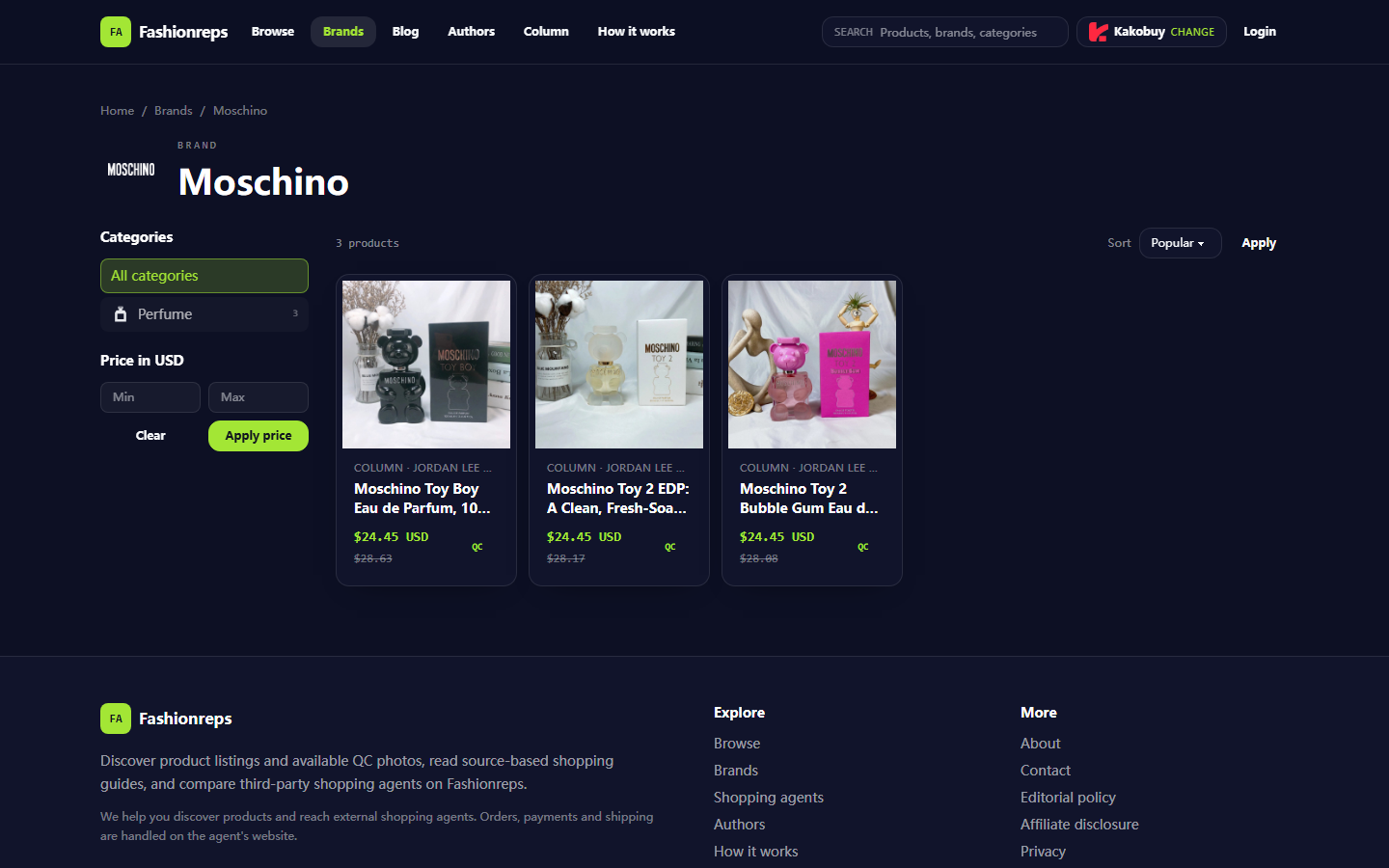
The provided Moschino brand page record shows that the page lists 3 perfume items, does not form a Moschino accessory product sample, and does not provide verifiable current coupon codes, thresholds, exclusions, validity periods, or final settlement amounts. Therefore, this article does not provide specific coupon codes, does not promise discounts, and does not extend the information on the perfume page as facts for accessory orders.
Fix Products, Quantities, Colors, Prices, and Links from the fashion-reps Page
First, create an order draft item by item on the product page. Each product must retain a record that can return to the original page, and record the verification date, page display currency, and product status.
It is recommended to record in the following order:
- Product name, product page URL, and seller information displayed on the page
- Product category, confirm that it is indeed an accessory, not perfume, clothing, or other categories
- Quantity, color, size, or specification; if there are no applicable fields, record "not provided on page"
- Reference price and currency displayed on the page
- Whether there are inventory, variant, or purchase restriction prompts
- Selected shopping agent, and the agent page actually entered after clicking purchase
Do not only record the search results page or brand filter page. A valid product record should come from an accessible product detail page, and the page must have clear product name and visible information sufficient to support order verification. Page redirects, 404, empty pages, or pages with only tag filtering but no product details should be marked as unusable for calculation.
If multiple items come from different sellers or different product pages, do not assume they belong to the same discount applicable category. The appearance of Moschino in the product name does not mean that the product category, seller, warehouse fees, and discount eligibility are exactly the same.
How to Archive Current Coupon Rules, Minimum Thresholds, and Validity Periods
Coupon information must come from the official activity page of the actual shopping agent, the account coupon page, shopping cart prompts, or the settlement page. Merely seeing promotional banners, search summaries, expired screenshots, or third-party paraphrases is not enough to prove that the discount is available.
Each candidate coupon should record at least the following fields:
- Coupon code or identifiable discount name in the account
- Applicable sites, accounts, regions, and order types
- Minimum consumption amount and its calculation basis
- Applicable product categories, sellers, payment methods, or shipping routes
- Exclusions, such as special offers, branded products, service fees, shipping fees, or specific agent orders
- Discount type, maximum discount amount, and whether usage is limited
- Start time, end time, and time zone displayed on the page
- Rule verification date and the page where the evidence is located
If the official page does not clearly state "can be stacked with other discounts", stacking cannot be treated as a default rule. The validity period must also be judged according to the time zone displayed on the page, not inferred from the article publication time or past usage experience. ⏱️
How to Confirm Item by Item Whether Multiple Items Belong to the Same Applicable Category
Compare each item with the discount rules separately, rather than first adding up the item prices and then assuming the entire order meets the conditions. Especially check the following differences:
- Whether the item really belongs to the accessory category specified in the rules
- Whether the item is provided by the same seller or the same agent channel
- Whether the price is the product amount recognized by the rules, not the total including service fees or shipping fees
- Whether certain colors, specifications, pre-sales, or promotional items are excluded
- Whether multiple purchases only increase quantity, or whether they must meet different item counts or specified combinations
You can use the following verification table, but the amounts must be filled in with values clearly displayed on the settlement page or in the official rules:
| Verification Item | Record Each Item Separately | Confirm at Order Level |
|---|---|---|
| Product Category | Accessories, other, or unspecified | Whether all belong to the same applicable category |
| Product Amount | Page price, currency, quantity | Whether the minimum threshold is met |
| Eligibility Restrictions | Seller, variant, promotional status | Whether there are exclusions |
| Discount Conditions | Available, unavailable, or pending confirmation | Whether stacking is clearly allowed |
| Settlement Result | Amount before and after discount | Whether it matches the final amount due on the settlement page |
If the category or eligibility of any item cannot be confirmed, mark the entire order as pending verification and do not substitute the eligibility of other items. 🔎
Stacking Order of Coupons with Service Fees, Payment Fees, Packaging Fees, and Shipping Fees
Discounts usually apply first to eligible product amounts, but the specific order must be based on the shopping agent's rules and the settlement page. You cannot judge the final amount due only by the coupon face value, nor assume that product discounts automatically cover agent service fees, payment fees, packaging fees, or shipping fees.
At settlement, record the following amounts item by item:
- Subtotal before product discount
- Product discount or coupon reduction
- Service fees and their calculation basis
- Payment processing fees or payment method surcharges
- Packaging, warehousing, or handling fees
- International shipping, insurance, or other delivery fees
- Taxes or customs-related fees, if shown on the settlement page
- Final amount due and currency
If the rules do not specify whether the discount applies to service fees, packaging fees, or shipping fees, treat it as unconfirmed. The total amount shown on the payment page is the key evidence before submitting the order, but it may not necessarily include subsequent international shipping or destination country taxes. 💳
How to Record Amounts Before and After Discount and Currency on the Settlement Page
After entering the settlement page, do not submit the order immediately. First save or transcribe the product list, quantities, currency, discount name, discount amount, fee details, and final amount due. For screenshots involving accounts, addresses, phone numbers, payment cards, or order numbers, cover personal information first.
You can self-check using the following formula:
Product discounted subtotal + service fees + payment fees + packaging fees + shipping fees + taxes or other fees listed on the page = final amount due on the settlement page
If the formula cannot be matched, check four types of issues first: currency mixing, exchange rate changes, whether a fee appears only in the next step, and whether the discount only applies to some items. Do not replace the settlement page displayed value with a rounded estimate.
Also record the verification time and page status. Cart refresh, inventory changes, agent switching, coupon reselection, or payment method changes may invalidate the original amount. Saving a draft does not mean the order has been submitted, and seeing a discount prompt does not mean payment was successful.
How to Stop Calculating When Rules Are Missing or Amounts Cannot Be Matched
Stop claiming "saved a certain amount" when any of the following occurs:
- No official rules or identifiable discount voucher in the account
- Applicable category cannot match the product category
- Calculation basis of the minimum threshold is unclear
- Validity period or applicable region is unspecified
- No clear evidence for stacking conditions
- Discount amount does not match the settlement page
- Settlement page does not show complete fees
- Page currency, exchange rate, or fee units cannot be confirmed
- Product page is inaccessible, or product details are insufficient to support verification
At this point, you can keep the product draft, ask the shopping agent customer service about specific applicable rules, or reduce uncertain items and recalculate. Do not add unneeded items to meet the threshold, and do not change fees or customs results by splitting orders, underreporting, or circumventing checks. ⚠️
Final Action: Use Settlement Evidence to Decide Whether to Continue, Reduce Items, or Hold Off
The minimum conditions to confirm continuation are: product identity and quantity are fixed, discount rules have a source, applicable categories are matched item by item, the stacking order has a clear basis, the settlement page amounts can be matched item by item, and you understand the shipping fees, taxes, and customs responsibilities not included or possibly incurred later.
If multiple item purchases do meet the official threshold, the savings should be calculated based on the actual reduction shown on the settlement page, not the advertised face value; increased risks include buying unneeded items, changes in product eligibility, discount invalidation, fees increasing in later steps, and the total order amount or package value rising. Those suitable for the multi-item plan are buyers who originally need these items, can accept changes in rules and logistics fees, and can complete item-by-item verification before payment.
If the purpose is just to meet the coupon threshold, product categories are unclear, the settlement amount cannot be recalculated, or there is no current official evidence for the discount rules, it is not recommended to continue. At this point, reducing items or holding off the order is usually more prudent than taking on additional inventory, capital, and after-sales risks for uncertain discounts.
Article Image
