PS5 DualSense Controller: What These Photos Show
Insight
Jonas ReinhardtThese images were photographed and provided by a customer who purchased the item. The comments below are limited to what is visible in this buyer-provided set. The first photo shows a black controller, a black cable, and a white box on a gray measuring surface. The packaging visibly includes the words PlayStation, Sony, and Wireless Controller, while the printed box image shows the controller from the front. For shoppers, this view is most useful for checking the visible packaging marks, the ite
Jonas Reinhardt is Editor-in-Chief of the Kakobuy Yupoo Review Desk, writing agent comparison tables and leading retests. The work covers shopping-agent operations, parcel forwarding and QC photo standards, with Jonas signing off every hands-on score. Reviews are checked for order dates, QC photo notes, warehouse measurements and shipping-line timings, connecting the comparison tables with the records behind their scores. Each month, two reviews are selected at random and audited against original photographs and receipts, making publication approval and recurring checks of the supporting material part of the editorial work.
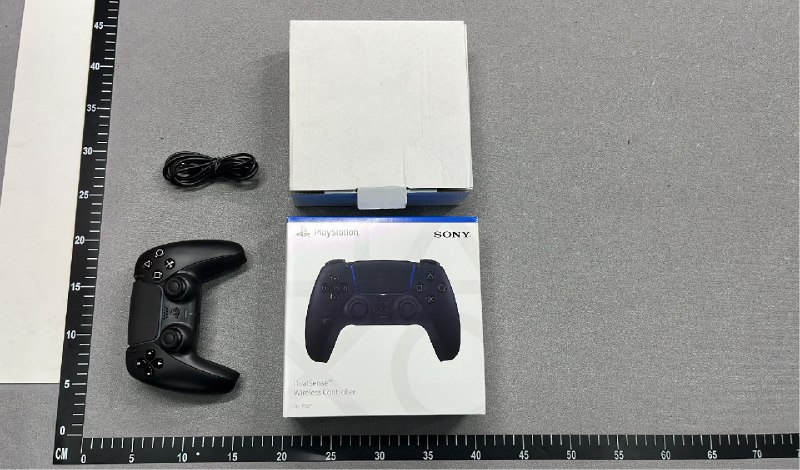
These images were photographed and provided by a customer who purchased the item. The comments below are limited to what is visible in this buyer-provided set. The first photo shows a black controller, a black cable, and a white box on a gray measuring surface. The packaging visibly includes the words PlayStation, Sony, and Wireless Controller, while the printed box image shows the controller from the front. For shoppers, this view is most useful for checking the visible packaging marks, the items shown together, and whether the physical appearance broadly matches the box illustration.

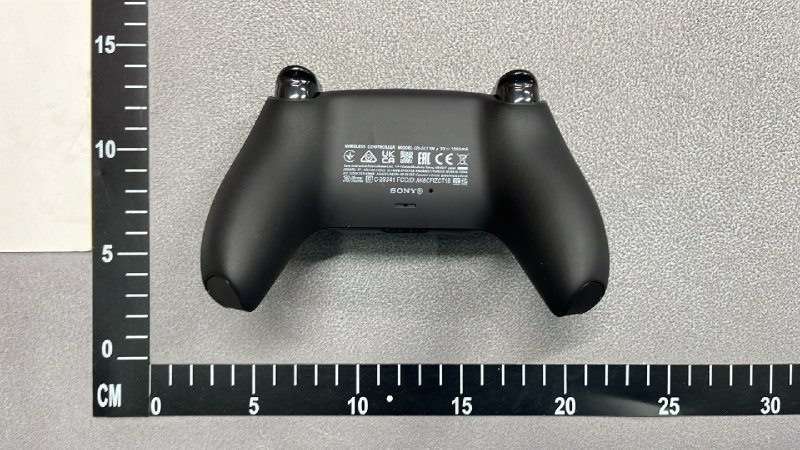
The rear view shows the shoulder buttons, the two grip areas, a Sony mark in the center, and a text area containing regulatory symbols and other small writing. Some small characters are visible, but the image does not support a complete reading of the model or specification details. This angle is useful for checking the rear layout and the placement of visible markings. If a particular version matters, the model and specifications should be checked in the product listing rather than inferred from the packaging name alone.
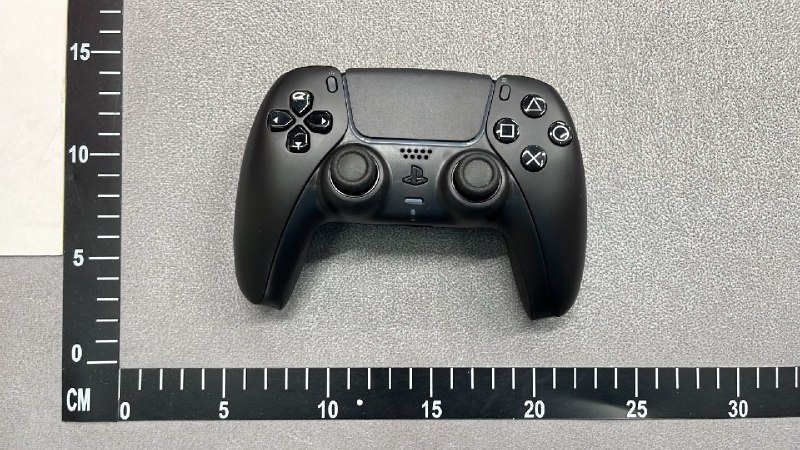
The front view clearly shows the two analog sticks, directional buttons, four symbol buttons, touchpad, and central PlayStation mark. The control arrangement corresponds broadly with the front illustration on the box, making the black finish and button layout the clearest design details in the set. The photos do not show power-on, pairing, button response, vibration, microphone, or cable-connection behavior, so those functions and the real-world experience cannot be assessed here.
Overall, this set is most useful for answering what can be seen about the product's appearance and packaging. The packaging, front view, and rear view complement one another, allowing readers to check the visible branding, control layout, rear text area, and cable shown in the images. They are not enough on their own to establish authenticity, performance, durability, or a complete specification list.