Stone Island Sweater Coupon Checks
Insight
Jonas ReinhardtIf you're planning to buy a Stone Island fall/winter sweater, don't automatically treat the coupon prompt on the product page as your final savings. The currently verifiable Fashionreps page only displays multiple Stone Island items from the same source along with QC images, listing 1
Jonas Reinhardt is Editor-in-Chief of the Kakobuy Yupoo Review Desk, writing agent comparison tables and leading retests. The work covers shopping-agent operations, parcel forwarding and QC photo standards, with Jonas signing off every hands-on score. Reviews are checked for order dates, QC photo notes, warehouse measurements and shipping-line timings, connecting the comparison tables with the records behind their scores. Each month, two reviews are selected at random and audited against original photographs and receipts, making publication approval and recurring checks of the supporting material part of the editorial work.
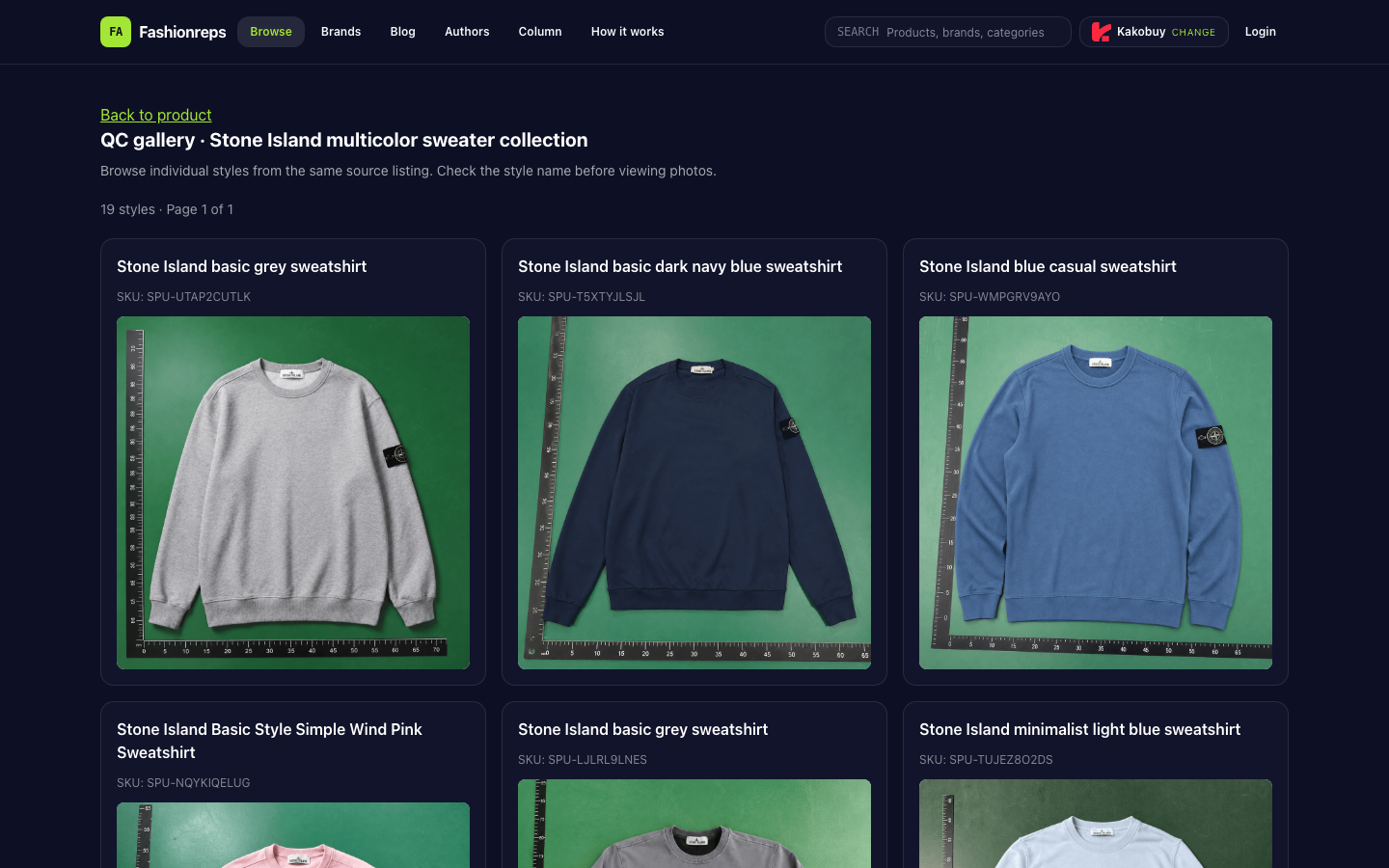

If you're planning to buy a Stone Island fall/winter sweater, don't automatically treat the coupon prompt on the product page as your final savings. The currently verifiable Fashionreps page only displays multiple Stone Island items from the same source along with QC images, listing 19 styles; available information does not provide a confirmable current coupon code, discount percentage, minimum spend, validity period, or checkout discount result. Therefore, whether you can save money depends on the conditions shown on the target item and the actual checkout page.
First Confirm Which Item the Coupon Applies To
The same group of items may include different colors, styles, and SKUs. The QC page lists multiple styles such as gray, dark blue, blue, pink, light blue, army green, ginger yellow, white, black, beige, purple, and coffee. You cannot assume all variants are covered by the same coupon just because they appear on the same page.
When verifying, first record the following information:
- Product name and specific style
- Color, size, or other variant
- Corresponding SKU
- Current price displayed on the product detail page
- Where the coupon prompt appears: product page, cart, or checkout
If the coupon entry does not clearly state the applicable variants, don't judge eligibility based on the lowest price or the most prominent color. Add the target style to your cart and continue verifying.
Check Coupon Conditions in Order
1. See if the Coupon Actually Applies to the Target Item
Confirm whether the coupon text explicitly mentions the item, the series, or the current cart. Just seeing "claimable" or "discount available" does not mean the target sweater has been discounted. If the page only shows a generic activity entry without indicating the applicable item range, treat it as unverified information.
2. Record Minimum Spend and Calculation Basis
If the page shows a minimum spend, confirm whether it's calculated on the item subtotal or on a total that includes service fees, packaging fees, or other charges. Also confirm whether different colors, sizes, or items from the same source all count toward the threshold.
Current information does not provide a verifiable minimum spend amount, so you cannot infer how many items to buy, nor can you assume that the combined total of multiple items necessarily meets the condition.
3. Check Exclusions
The coupon may exclude specific variants, sale items, clearance items, or certain shopping agents. If the page does not list exclusions, you should not assume that the Stone Island fall/winter sweater is definitely eligible.
Key checks:
- Is the target SKU excluded?
- Is the current price a promotional price?
- Are different colors and sizes subject to the same eligibility?
- Is the coupon limited to a specific shopping agent or payment method?
4. Confirm Stacking
Don't simply add the item page price, site coupon, agent discount, and payment discount. You need to check in the cart or checkout page which discounts the system actually accepts.
If the page clearly states "cannot be stacked," that restriction applies. If not stated, you still cannot guarantee that multiple coupons or activities can be used simultaneously; only if the checkout page shows a clear deduction can you count it toward expected savings.
5. Check Validity Period and Time Zone
A coupon must have a clear validity period or activity end time to be useful for payment decisions. If you only see vague descriptions like "limited time" or "today's offer" without a verifiable end time, treat the coupon as unstable information.
The current information does not provide validity data for official coupons, so you cannot promise that the same coupon will still work when you open the page later.
Verify Final Cost on the Checkout Page
Whether a coupon is worthwhile cannot be judged solely by the item's list price and the coupon face value. After entering the checkout page, record at least the following fields item by item:
| Verification Field | What to Confirm |
|---|---|
| Item subtotal | Is the target style, quantity, and variant correct? What is the pre-discount amount? |
| Item discount | Actual discount amount, and the item or threshold the discount corresponds to |
| Service fee | Is there an added agent service fee? Does it participate in the discount calculation? |
| Packaging fee | Is there an extra packaging or handling fee? |
| International shipping | Has it been calculated? Will it change due to weight or route? |
| Exchange rate field | Is the currency, exchange rate, or converted amount displayed? |
| Total payable | Final payment amount after discounts |
The final savings should be calculated based on the actual total payable on the checkout page, not just the discount number on the promotional page. If the coupon reduces the item subtotal but service fees, packaging fees, or international shipping increase, the actual total expense may not decrease by the same proportion.
Stop Payment Conditions When No Discount Is Shown
If you encounter the following situations, it is advisable to stop payment and keep a record of the page:
- The coupon entry exists, but there is no actual deduction on the checkout page
- Applicability to the target color, size, or SKU cannot be confirmed
- Minimum spend, exclusions, or stacking rules are not stated
- The validity period is missing or cannot be determined if expired
- Service fee, packaging fee, international shipping, or exchange rate fields are not displayed
- The total price changes before and after checkout, but the page does not explain why
This does not mean the item definitely has no discount, but rather that the current information is insufficient to support the judgment that "a certain fixed amount has been saved." You can go back to the product page, cart, and checkout page to take screenshots or record the time, and then confirm the specific conditions with the corresponding shopping agent.
What Current Product Evidence Can Tell Us
The relevant QC page on Fashionreps can help buyers locate different Stone Island styles under the same source page and view the corresponding QC images. The page lists 19 styles and their respective SKUs, but this product evidence cannot replace coupon rules, nor can it prove that a certain style is currently in stock, has a fixed price, available coupon code, or a definite final shipping cost.
Therefore, before purchasing, you should separate "finding the target style" from "confirming the total cost after discount": first confirm the specific product and variant, then verify the coupon conditions on the cart and checkout pages. Only proceed to payment when the actual payable amount is clearly displayed and there are no undisclosed fees or restrictions.