Verify Montblanc Coupon Eligibility on fashionreps
Insight
Jonas ReinhardtWhen viewing montblanc accessories on fashionreps, whether a coupon is actually usable cannot be determined solely by discount hints on the product page or search results. Before checkout, you need to confirm the coupon entry, eligible items, order threshold, validity period, exclusions, and the final amount change. This article is for users who are preparing to purchase montblanc acc
Jonas Reinhardt is Editor-in-Chief of the Kakobuy Yupoo Review Desk, writing agent comparison tables and leading retests. The work covers shopping-agent operations, parcel forwarding and QC photo standards, with Jonas signing off every hands-on score. Reviews are checked for order dates, QC photo notes, warehouse measurements and shipping-line timings, connecting the comparison tables with the records behind their scores. Each month, two reviews are selected at random and audited against original photographs and receipts, making publication approval and recurring checks of the supporting material part of the editorial work.
When viewing montblanc accessories on fashionreps, whether a coupon is actually usable cannot be determined solely by discount hints on the product page or search results. Before checkout, you need to confirm the coupon entry, eligible items, order threshold, validity period, exclusions, and the final amount change. This article is for users who are preparing to purchase montblanc accessories but have not yet submitted an order; it does not apply to retroactive claims after payment is complete, nor can it replace the real-time rules on the external shopping agent's checkout page.
This article only explains how to verify currently visible information. The provided page evidence does not show a confirmable coupon code, discount amount, usage threshold, eligibility, or validity period, so it cannot be claimed that a usable discount exists, nor can it guarantee savings at checkout. 🧾

Checkout Decisions That montblanc Accessory Coupon Verification Must Address
The decisions to make before checkout are specific: whether this coupon applies to the target accessory, whether it can be applied after meeting the threshold, and whether it is still worth using the current order combination after the deduction.
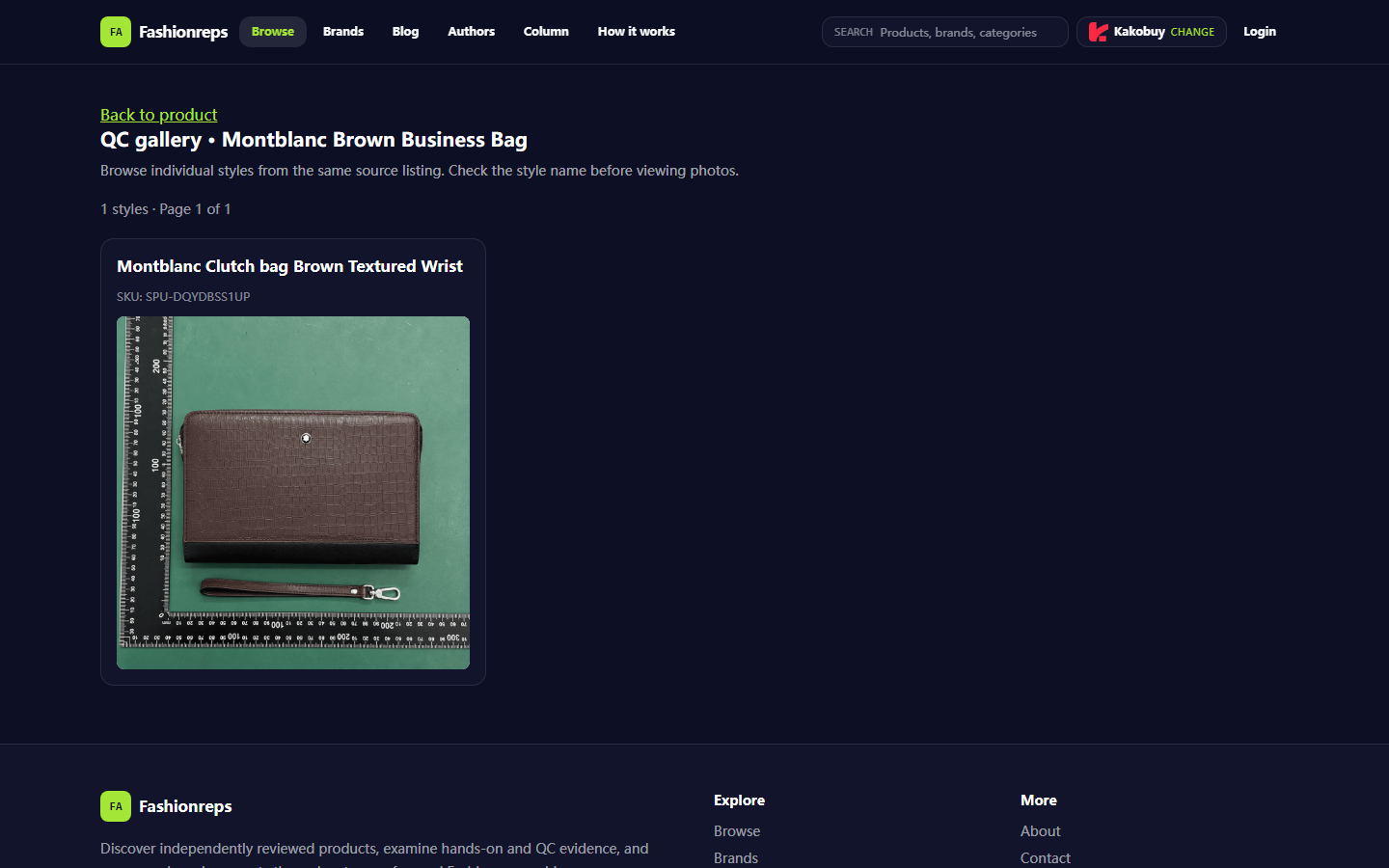
First, record the target item's style name, variant, displayed price, and item status. Accessories may include bags, clutches, cardholders, or other styles; different styles from the same source should not automatically share the same coupon conditions. The page evidence shows a QC page for Montblanc Brown Business Bag and lists the style information Montblanc Clutch bag Brown Textured Wrist; these can only help confirm the page object, not prove the existence of a coupon or official brand authorization.
If the coupon entry does not clearly state the eligible items, threshold, and expiration date, the status should be marked as pending verification, not usable. Recheck at the latest before submitting payment, because the coupon status, inventory, route, and agent policies may change. 🔎
Verify Accessory Style, Variant, and Current Visible Conditions on fashionreps Product Page
First, confirm the following from the product page:
- Whether the product name matches the specific style
- Whether there are multiple colors, sizes, or other variants
- Whether the target variant is still selectable
- Whether the page shows price, inventory, or purchase status
- Which external shopping agent the buy button leads to
- Whether the page shows product information, QC data, or the agent's own checkout information
The fashionreps page states that the buy button leads to the user's selected shopping agent; orders, payment, and shipping are handled by the agent's website. Therefore, information on the fashionreps product page cannot automatically be equated with the coupon rules on the agent's checkout page. After selecting an agent, you should re-verify the coupon's applicability in the corresponding account and order draft.
If the page only provides QC images, style names, or source listing information, they can only be used to identify the product; you cannot infer price, inventory, material, discount, or after-sales conditions from images. 📷
Find and Record Coupon Entry, Validity, and Applicability Instructions
Prioritize checking the external agent's official coupon entries, including the coupon center in your account, promotional pages, cart prompts, order draft pages, and checkout page. Do not treat third-party posts, expired screenshots, search summaries, or unverified codes as current coupon evidence.
For each coupon information found, record:
- Whether the coupon name or code is directly displayed on an official page
- The applicable platform or agent
- Start and end dates
- Minimum order amount and currency
- Whether it applies only to the merchandise amount
- Whether it excludes shipping, service fees, payment fees, or packaging fees
- Whether it restricts brand, category, seller, route, or new users
- Whether it allows stacking with other offers
- Whether the checkout page actually shows the deduction
- Verification date and page status
If the official page only says "promotional activity" without a clear coupon code, threshold, or eligibility, keep it as an activity notice and do not convert it into a definite savings amount. If the page requires login to view full conditions, verify in the logged-in account environment and do not fill in missing content based on public summaries.
Build a Checklist Based on Order Threshold, Exclusions, and Variant Restrictions
Check whether a coupon matches the target order in the following order:
- Confirm that the coupon belongs to the actual agent placing the order, not a fashionreps page or another platform's promotion.
- Confirm that the target montblanc accessory is within the coupon's applicable category and is not excluded by brand, seller, or item type.
- Compare the eligible merchandise amount in the order with the minimum threshold, noting currency and rounding.
- Check whether the threshold counts only merchandise amount or includes service fees, packaging fees, or other charges.
- Check whether the target variant is individually excluded, especially different colors, sizes, or source listings.
- Check whether the coupon's validity period covers the actual order submission time.
- Check whether you need to claim it first, bind it to your account, or select a specified logistics route.
- Confirm on the checkout page that the discount has been actually deducted from the order total.
Do not assume a coupon is usable just because it shows as "claimed." Claimed status only means the offer is in your account; it does not prove that the current item, order amount, and logistics plan meet the conditions. 🧮
Distinguish Merchandise Discounts, Service Fees, Payment Fees, Packaging Fees, and Shipping
At checkout, break down the charges. Merchandise discounts usually only affect the merchandise amount; service fees, payment fees, packaging fees, and shipping may be calculated separately by the agent and may not be included in the discount. If the page does not specify, do not treat the merchandise discount as the final order savings.
It is recommended to keep a detailed record of the amount before and after checkout:
| Item | Verification focus | What cannot be directly inferred |
|---|---|---|
| Merchandise amount | Amount of target accessory and eligible items | Whether it includes shipping or service fees |
| Discount amount | Whether actual deduction and calculation basis are shown | Whether it covers the entire order |
| Service fee | Whether charged separately, whether counted toward threshold | Whether it can be reduced by merchandise coupon |
| Payment fee | Extra charge from payment method | Whether it is waived due to the discount |
| Packaging fee | Regular or special packaging cost | Whether it is part of merchandise amount |
| Shipping | Route, weight, volume, and destination | Whether it is covered by the discount |
If combining packages or changing routes changes shipping costs, record merchandise discounts and logistics costs separately before comparing order totals. An increase in discount amount does not necessarily mean a decrease in final payment. 📦
Verify on Checkout Page That the Coupon Actually Applies
The checkout page is the key evidence for usability. Before submitting payment, check whether the order summary shows the target item, coupon name or code, discount amount, fee breakdown, and final amount due.
Focus on confirming:
- Whether the discount has been deducted from the amount due
- Whether the discount applies only to part of the items
- Whether the order threshold becomes invalid due to removing or changing variants
- Whether the coupon remains after changing the logistics route
- Whether the page shows messages like insufficient minimum amount, item not applicable, coupon expired, or cannot be stacked
- Whether the currency is the same as in the initial comparison
If the amount does not change after entering the coupon code, do not repeatedly submit the order. First check page prompts, eligibility, and fee breakdown, then confirm whether to choose another offer, make up the threshold, or give up the coupon. If system messages conflict with the order summary, the final amount shown before submission should prevail, and keep necessary order page records.
Evidence Boundaries When Current Page Has No Coupon Information
The currently verifiable page data helps identify the montblanc accessory page and the purchasing path to the external shopping agent, but does not provide a confirmable coupon code, discount percentage, minimum spend, exclusions, validity period, or checkout result. Therefore, this verification cannot conclude that "a coupon is available," "a discount applies after reaching a certain amount," or "a fixed amount can be saved in the end."
When this information is lacking, the correct approach is:
- Mark the coupon status as unconfirmed
- Look for conditions in the actual agent's official account, promotion page, or checkout page
- Recalculate the order using the target item and actual destination
- Verify the final amount before payment
- Keep the verification date, as coupon rules may change at any time
Do not use coupon codes from unknown sources, do not infer current promotions from old screenshots, and do not treat product information on QC pages as the agent's promotional policy. This avoids changing items, routes, or order structure to chase discounts without real savings. ⚠️
Pre-Submission Checklist for montblanc Accessories and Next Steps
Before submitting the order, confirm item by item:
- Confirmed the specific style and variant of the target montblanc accessory
- Confirmed the actual shopping agent placing the order
- Viewed the coupon conditions from the agent's official entry
- Recorded the coupon's threshold, validity period, exclusions, and stacking rules
- Distinguished merchandise amount, service fees, payment fees, packaging fees, and shipping
- Seen the actual deduction on the checkout page
- Confirmed the coupon has not become invalid due to changes in variant, route, or order amount
- Compared the final amount due before and after using the coupon
- Confirmed the savings from the coupon are worth the associated changes in route, package consolidation, or time
When no verifiable coupon information is currently available, it is not recommended to add unrelated items or change logistics plans for a "possible discount." Only when the official checkout page clearly shows the applicable conditions and actual deduction can the coupon be included in the order decision.
Savings should be based on the actual discount shown on the checkout page; increased risks include coupon invalidation, misclassification of fees, route changes, and changes in order conditions. This verification method is suitable for buyers who want to control their budget before payment and are willing to check agent rules item by item; it is not suitable for situations requiring an instant guaranteed discount or when the actual agent checkout page is inaccessible.